
web api instance property
Element: clientWidth property
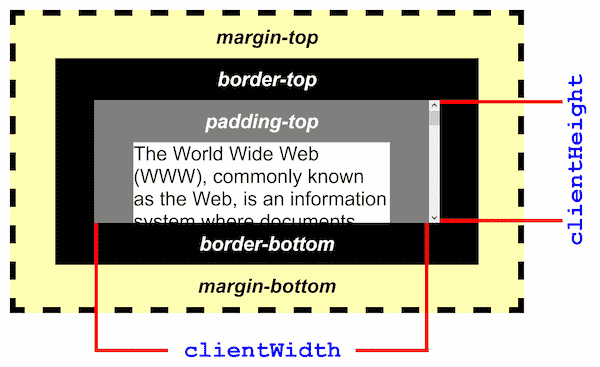
The clientWidth read-only property of the Element interface is zero for inline elements and elements with no CSS; otherwise, it’s the inner width of an element in pixels. It includes padding but excludes borders, margins, and vertical scrollbars (if present).
When clientWidth is used on the root element (the <html> element), (or on <body> if the document is in quirks mode), the viewport’s width (excluding any scrollbar) is returned.
Value
An integer.
Examples
Specifications
SpecificationsStandards references are available on the canonical MDN page.
Browser compatibility
Browser compatibilityCompatibility data is available on the canonical MDN page.